


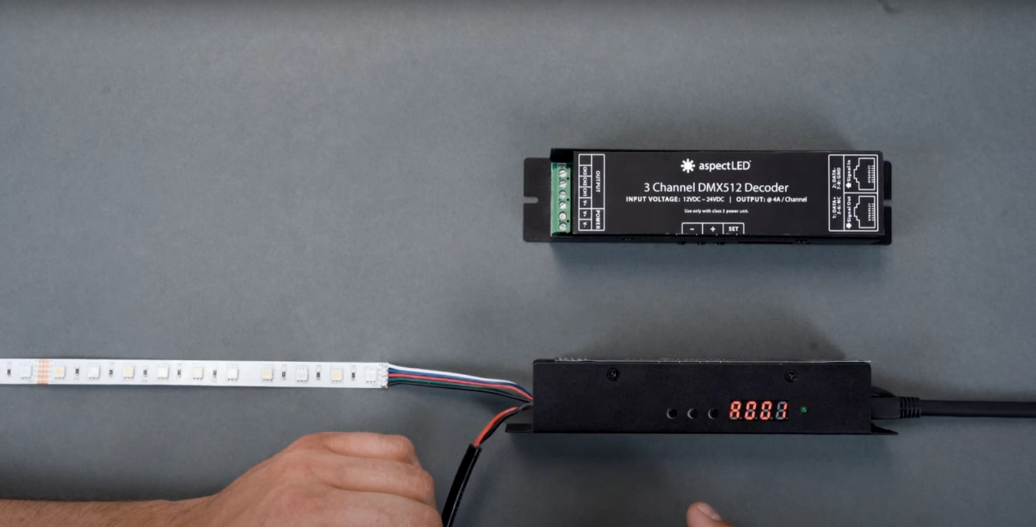

DMX512 decoders are essential components for professional LED lighting installations that use a DMX control systems. DMX controls and decoders enable precise control over color mixing and lighting effects. These devices are available in two primary configurations:
- 3-channel decoders designed for RGB lighting applications
- 4-channel decoders for RGBW lighting applications that incorporate a dedicated white
Navigation Interface
The DMX512 decoder features an intuitive control interface consisting of three primary buttons:
- Set
- Plus
- Minus
These controls enable navigation through the device's various modes and settings. When powered on, the display shows the current operating mode, with “A mode” indicating DMX address configuration and an initial setting of address 001.
Setting DMX Addresses
A DMX universe refers to a single unit of control consisting of 512 DMX channels, with each channel capable of controlling different parameters of a lighting fixture. For larger, more complex projects, multiple DMX universes can be used, each consisting of 512 channels.
Address modification follows a straightforward process:
- 1. Press and hold either the plus or minus button until the display highlights
- 2. Use the plus and minus buttons to navigate through available DMX addresses
- 3. Release when the desired address is displayed
This address configuration is critical for proper communication with DMX controllers, ensuring that lighting commands reach the correct fixture within the DMX universe.
Built-in Color Presets
For standalone operation or testing purposes, the DMX512 decoder includes preprogrammed color presets accessed through the "H mode" (Hue menu):
- 1. Press and hold the set button to enter the Hue menu
- 2. Navigate through nine preset options using the plus and minus buttons:
- H01: Red
- H02: Green
- H03: Blue
- H04: Yellow
- H05: Magenta
- H06: Cyan
- H07: White (RGBW strips only)
- H08: Program 1 (preset lighting sequence)
- H09: Program 2 (preset lighting sequence)
Adjusting Program Speed
The built-in lighting sequences (H08 and H09) offer customization through speed adjustment:
- 1. While in program mode (H08 or H09), press the set button once to enter speed adjustment mode
- 2. Use the plus and minus buttons to select speeds from 1 (slowest) to 10 (fastest)
- 3. Press the set button again to return to the Hue menu
Returning to DMX Control
To return to DMX control mode after using the built-in presets:
- 1. Press and hold the set button to return to "A mode"
- 2. Verify that the display shows the DMX address
It is important to note that the decoder cannot receive DMX commands while operating in the Hue (H) or Speed (S) modes. DMX control will only function when the unit is in "A mode" displaying a DMX address.
Applications
The combination of DMX control capabilities and standalone operation makes these decoders versatile for various lighting applications. The 3-channel decoder provides appropriate control for standard RGB installations, while the 4-channel version offers the necessary additional control for RGBW systems requiring true white output alongside RGB color mixing.
If you want to watch the video on this topic, check it out here:


